
2 - Device enrollment
Introduction
The SafeSky App is your main appliction to setup and manage your aero tracker. You will be able to pair with devide with your SafeSky account, configure one or many aircrafts and also fly with the SafeSky App an duse the Smart Radar feature for traffic alert.
Alternatively, you can use your favorite navigatio software, such as SkyDemon, Air Navigation Pro, EasyVFR, ForeFlight or SDVFR for instance. This will add a traffic layer with aircrafts
Requirements
-
You must have the latest SafeSky App installed from the Apple Store or the Google Play store.
-
You must have configured
oneyour account with the SafeSky App, and have configured at least one aircraft -
You need to subscribe to the Premium Data subsription which contains the activation and provisioning of mobile traffic data for one year. Note that the first month is included
ndand you won't be charged for this.
Bluetooth and Wi-Fi
The Arto Tracker can operate using Bluetooth or Wi-Fi.
When using with SkyDemon or the SafeSky App, bluetooth will be used. Note that you don't have to pair your phone with the tracker. This is directly handled from the SafeSky App.
When used with other navigation software, GDL90 over Wifi will be used. Please refer to the user manual of your navigation software to setup GDL90.
Pairing the Aero-Tracker
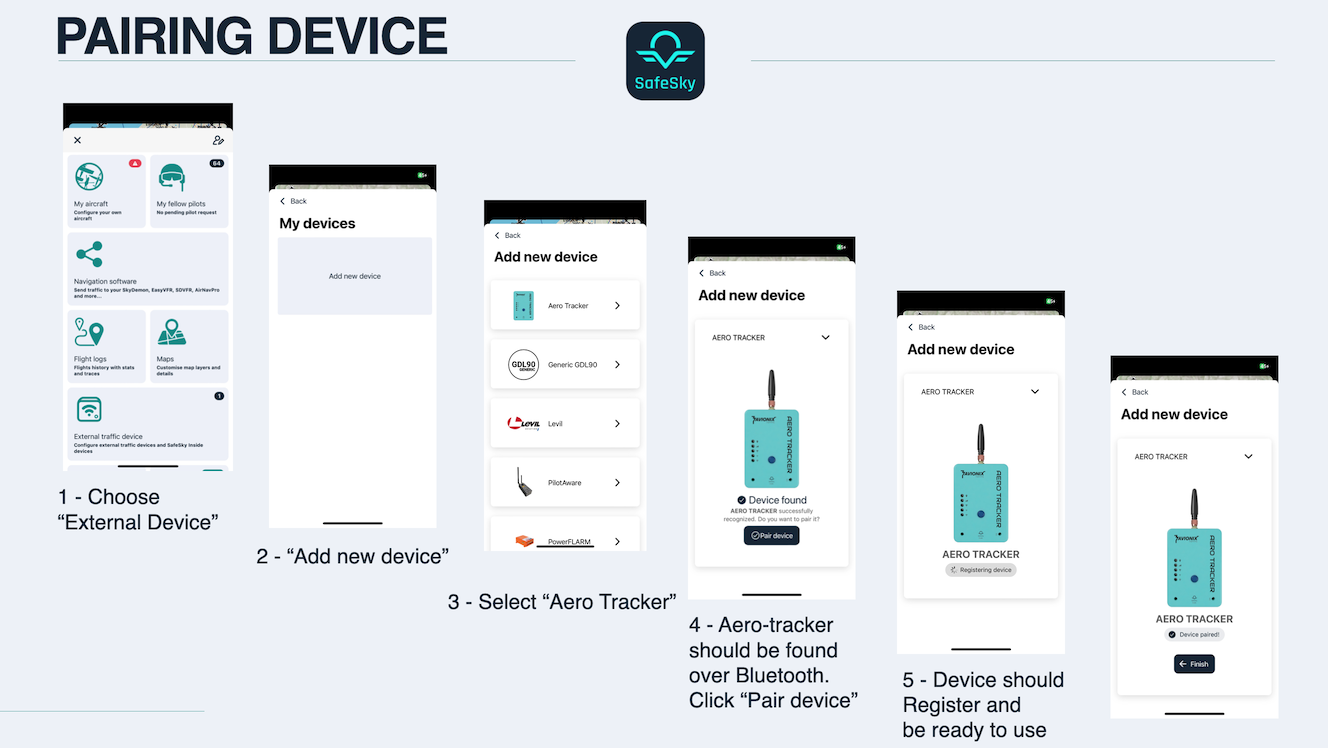
Before using the aero-tracker, you must pair it with your SafeSky account.
- Ensure that there is at least one aircraft configured in the SafeSky App.
- Follow the on-screen instructions to complete the pairing.
SIM Card Configurationinformation
InThe AERO Tracker is shipping with a built-in SIM card.

Status Information
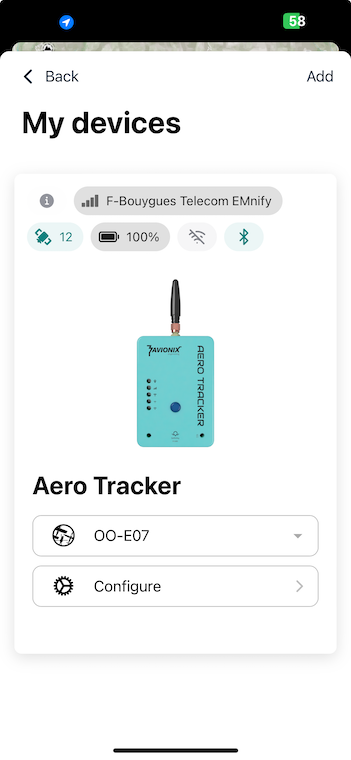
- When you return to "My Devices", you should see diagnostic information, including:
- LTE connectivity
- Location and altitude (via internet GPS — ensure you are outdoors for GPS to function properly)
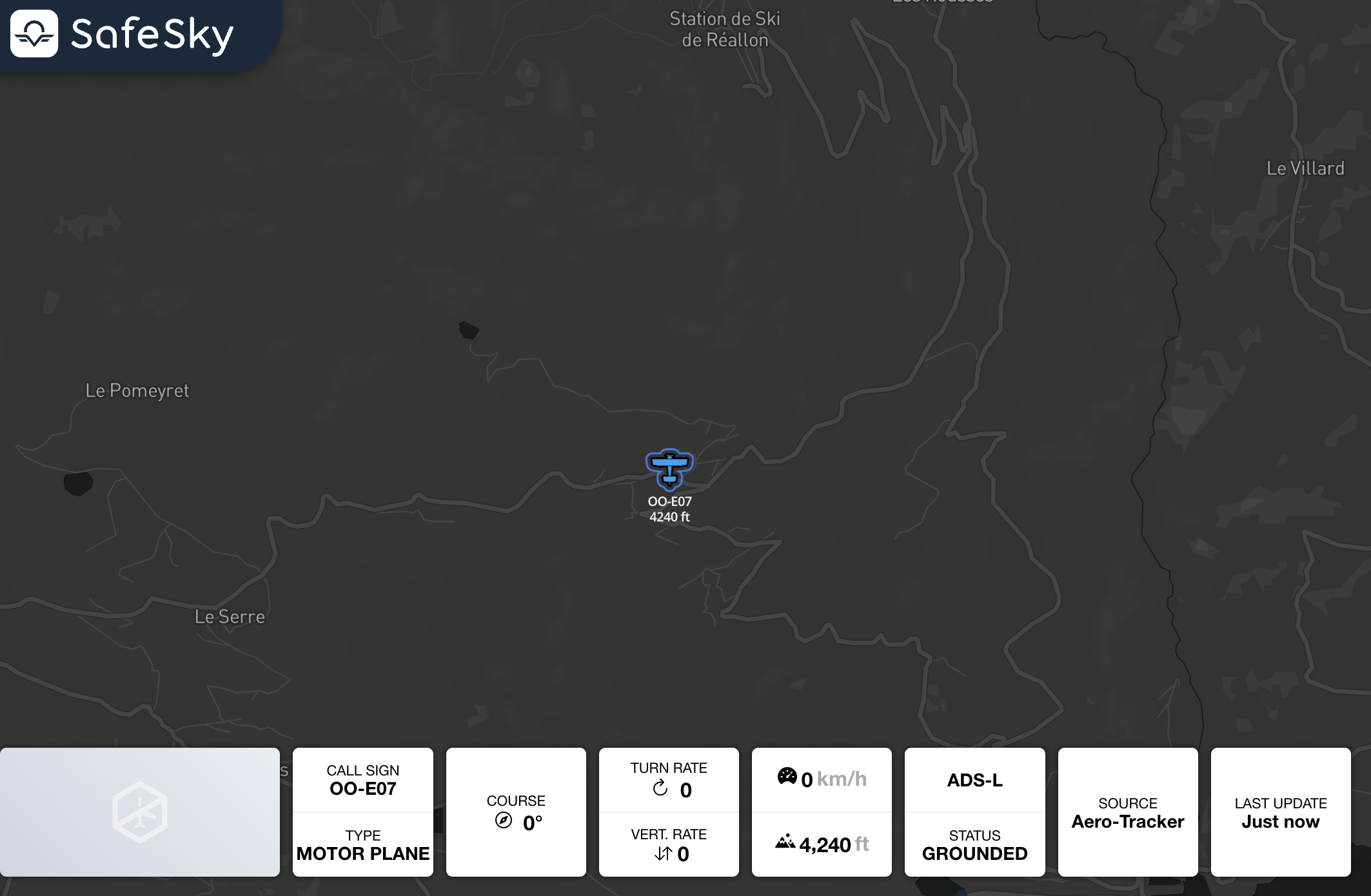
- You should also see your aircraft displayed in SafeSky:
With these steps completed, your aero-tracker should be fully operational and integrated with SafeSky! 🚀